Thursday, March 20, 2014

Journal Entry #9, Chapter 9: Expressing Creativity with Multimedia Technologies


Focus Question: How can teachers create PowerPoint presentations for maximum teaching potential and learning impact?

PowerPoint is a multimedia software package that lets virtually anyone create a well-organized visual and auditory presentation for any group of people.  This tool can be very effective and students would rather look at about anything other than a textbook.  If enough attention is given to the design of the PowerPoint, students will pay more attention to the content.  Using this program to show information in several different ways such as photos, videos and more can get the students more engaged, interested and involved than a boring old textbook!  

Of course there are correct and incorrect ways to design the PowerPoints and there some effective strategies to know, including the ones shown to us by Professor Coleman in ‘Life After Death by PowerPoint 2010’ with Don McMillan.  Below is another good example:


Tech Tool 9.2

This section of chapter 9 discusses the different types of streaming video resources for teachers.  As with a lot I have learned in this class, I knew some of the websites that were mentioned but not all and learned a great deal.  As we have discussed copyright in this class previously, I am aware of it and like that YouTube offers not only a special section for teachers to use, but a place where there are videos that can be used and edited without the fear of infringing on any copyright laws like Creative Commons.  PBS is also mentioned in this section.  PBS has been around for years and has always been an acceptable educational media outlet.  I still remember watching it for certain programs when I was in school.


Summary & Connection

Chapter 9 is about multimedia formats that can be used in the classroom setting to give not only teachers, but students as well, a way to present material in a more interesting and engaging way.  With everything from YouTube to PowerPoint that are available these days, there really is no excuse to not use some of these technology tools to educate our young people (and they can be used for lots of others things as well and in other professions other than teaching). 

Although multimedia can be a great tool in the classroom, it is also to be emphasized that it is the WAY they are used that determines if these tools benefit the students (and they can make presenting material easier for the teacher as well).  If you only use videos and PowerPoints but do not give students a way to respond and actively participate in interactive assignments associated with them, then they will not be near as beneficial and the students will become bored and uninterested, just as they have with textbooks.   
 

Resources:

Textbook - Maloy, Robert, Verock-O’Loughlin,Ruth-Ellen, Edwards, Sharon A., and Woolf, Beverly Park (2013). Transforming Learning with New Technologies. 2nd Edition. Boston, MA: Pearson Education, Inc.

YouTube. “How to Give an Awesome (PowerPoint) Presentation”. Wienot Films. May 2011. Retrieved from Web.

YouTube. “Creative Commons & Copyright Info”. Video Magazine. May 2012. Retrieved from Web.

Friday, March 14, 2014

Journal Entry #8, Chapter 8: Communicating and Collaborating with Social Media


Focus Question: How can teachers use email or text messaging to foster information exchanges with and among students?

I will admit that this question has me thinking.  I have problems with this issue.  I have three children all 7 years apart ranging from 19 to 5.  Of course my 19 year old daughter has a phone and texts ALL the time.  I’ve had issues with it for a while though.  My issues stem from her not being able to carry on a normal conversation with someone or being “too shy” to order her own food at a restaurant but has NO problem texting all kinds of things including things she shouldn’t.  I tried to explain to her that if she wouldn’t say it to someone directly to their face, she shouldn’t text it either.  My 12 year old son went to his first middle school dance and was disappointed because they all sat around on their iPhone and iPod and no one DANCED or TALKED.  So, my point is that I feel a lot of teens today are not socially prepared for the real word because it is ALL digital.  Hey can’t seem to have a normal verbal conversation with each other, much less adults.  I think it is a great idea to use technology, I do.  Our society is evolving into a strong technology based one.  However, I also think there is a limit and a line that people cross every day.  I refuse to let my 5 year old have an iPod or my 12 year old to have a phone.  I have strict rules of when they can have these things and how much they will be used.  My daughter still tried to text me with real problems and requests.  RIDICULOUS.  I refuse to answer them and tell her to call if it is important to TALK.  I know the world is different now, but I think it has gone a bit too far in some cases.  I think that email and text could be used in high school/college levels, but any lower than that should be the old fashioned face-to-face “we need to talk about your grades”.

With that being said, I do believe that email and text is a great way to communicate with parents!  Their lives are very busy too, a lot work one or more jobs and have multiple kids.  Until recently I was working, had kids and was taking three classes so I got emails from my kids teachers.  This was an effective way to contact me.  I couldn’t talk on the phone during the day due to work and I definitely did not have the time for a face-to-face meeting unless there was an emergency.  My kid’s teachers would email me with problems or grades and it was great. 

What this busy semester has taught me is that just because a parent can’t come in to a conference or participate in school things does NOT mean they don’t care about their child’s grades.  I care a lot and stay on my kids and check ALL their homework, even with  my schedule and I check the portal for grades at least once a week.  As a teacher I won’t know how much is going on in a student’s life or their parents.  Finding ANY way to communicate with the parents is KEY.


Tech Tool 8.2

In this section I read about Skype.  I LOVE Skype and use it a lot.  I moved to Southwest Florida in August of 2012 which is 1,000 miles away from all my family and friends.  We have my husband’s side here and his friends but it was still difficult.  My daughter is also back home in college.  Skype has really been an amazing and wonderful thing for us to be able to communicate and even feel like we are all in the same room for occasions like Christmas.

There are different ways Skype can be used in the classroom but I think one of the best is to be able to talk and learn from other classrooms all across the world.  This would allow students in both classes to learn from each other, for the teachers to be able to collaborate in teaching and to do it visually as well.  Imagine learning about Africa from a classroom and teacher IN Africa and them learning from us in America!  The possibilities are really endless to use Skype as a learning and teaching tool.


Summary & Connection

In Chapter 8 the discussion was on all the ways that social media can help in the learning process and teacher relations with students and parents including email, teacher Blogs & Websites (which I LOVE) and Skype.  As I stated above, I love the educational uses of Skype and am all for using technology to learn things that would not normally be available to us.  I also agree with using any type of technology needed to reach parents for collaboration on the student’s well-being and making sure they are learning at their full potential.  I also love using technology to help my own children learn new things so I am eager to use it in my classroom.  However, I do feel that we can go too far to quickly at times and don’t want to totally replace conversation and human interaction with digital ones.  I still believe that talking with my students face-to-face is very important as well.


Resources:

Textbook - Maloy, Robert, Verock-O’Loughlin,Ruth-Ellen, Edwards, Sharon A., and Woolf, Beverly Park (2013). Transforming Learning with New Technologies. 2nd Edition. Boston, MA: Pearson Education, Inc.

YouTube. May 2012 "Skype Kids”. [video]. Retrieved from Web.

Hogan, Chrystal. March 2014. ‘My Boys & Technology”.  [photograph].

Sunday, February 23, 2014

Journal Post #7, Chapter 7: Exploring Problem Solving with Software, Apps and Games


Focus Question: What are key debates about using computer games and simulations as learning resources?

Some educators are very open about using games and simulations in the classroom and understand that not only is it important to keep up with today’s technology, but also how differently students learn as time goes on.  Still, other educators hold fast to their archaic beliefs that technology has no place in the classroom.

GET WITH THE TIMES.  There is no other way to put it.  Decades ago, naysayers said that computers would never take off and there was no real need for them.  Now they are in just about every home, including those with low income because there are special programs to help families with school age children to get one (such as the One Laptop Per Child).  There is Wi-Fi almost everywhere you go and even our phones are capable of doing what most computers can.  Having technology in the classroom is not only a necessity but it is inevitable, so fighting it will only cause those students to be behind in today’s world.

There IS a balance of course. Learning tools like 4MALITY mentioned in our text are wonderful tools to help students learn.  Again, it is important to understand that not all students learn the same.  For Rosie in Chapter 7, the technology actually HELPED her to understand math AND like it, where classroom instruction had not.  There needs to be a balance of both and an understanding by teachers on what will work to engage their students.  If you are doing only one or the other (computer/game teaching or only classroom instruction) you are not only behind in the times, but you are keeping your students there as well.


Tech Tool 7.1

This section in Chapter 7 focuses on two websites (www.squeakland.org, and http://scratch.mit.edu) that help all grades with subjects like Math and Science and teach them to think for themselves using interactive games and Scratch even lets them make their own! 

I believe that in a lot of schools today, there is a lack of teaching students to be independent thinkers and problem solvers.  They are waiting for someone else to tell them how to think, how to come up with answers and how to come up with even more inquisitive questions to further their learning.  Without these skills, it is hard to function properly in most environments, much less our technology driven society today.  Websites and programs like the ones above help to teach students how to creatively come up with answers to problems.  This will further their decision making skills as well.


Summary & Connection

In Chapter 7 the elements of learning through software, gaming and inquiry based programs are discussed.  There are still a few stragglers in education who think that the classroom is no place for technology but for the most part, most educators realize its importance and see it as a great tool to help students learn and grow to be ready for today’s society, and the future one.

I thought it interesting that some of our modern educators (like Alfie Kohn mentioned in our text) still believe that children don’t learn with a rewards system.  I find that this is untrue on all levels.  I have 3 children, all 7 years apart and I myself am in college.  In all 3 of my children, I have seen them work harder and better when their teacher (and us as parents) offer rewards for learning and doing well.  It has been said they may learn enough to meet the goal but not retain it.  I actually have seen the opposite.  When there is a reward attached, all three of my children remember the material, the reward and how accomplished they felt years later.  In my own college courses, some of our teachers play “Jeopardy” to help the class prepare for the upcoming tests and give out 5 additional points to the winners.  Not only did the winners remember, but the ones who lost benefited from the game and NO ONE failed the test.  I don’t need statistics to show me what works in real life. I can SEE it.  In the following video, using rewards in one of the top 10 Classroom Management tips!


Resources:

Textbook - Maloy, Robert, Verock-O’Loughlin,Ruth-Ellen, Edwards, Sharon A., and Woolf, Beverly Park (2013). Transforming Learning with New Technologies. 2nd Edition. Boston, MA: Pearson Education, Inc.

2013 Edudemic (David Matheson 2013).  Technology Should: [photograph]. Retrieved from Web.
AmpliVox, Bob (Nov. 2011). Top 10 Proven Classroom Management Tips for Teachers [ www.youtube.com video]. Retrieved from Web.

Tuesday, February 18, 2014

Journal Post #6: Chapter 6, Fostering Online Learning with Educational Websites and Apps


Focus Question: What are the advantages and complexities of online leaning and virtual schools?

I understand the need for technology in the classroom.  I support it and plan to use it on a regular basis, and I believe it is a necessity for teachers to learn how to teach with technology and students to learn how to use it effectively with the growing use of it in the workforce.  I also am not against taking online classes or “blended” as it integrates both face-to-face and collaborative learning with technology.  However, I am totally against using ONLY online education to get any degree except in extreme cases (such as immobility causing it to be extremely difficult to get to a school). 

I have seen lots of children who have been home-schooled and 9 out of 10 have a lot of trouble communicating properly with other children their own age.  This may not be the case with all home-schooled children of course, and other factors will play a role, but in general, a student needs to learn and grow with children their own age.  This is ESSENTIAL to thriving in our society.  Staying at home has become a trend for a lot of parents who, instead of teaching their kids how to deal with difficult situations, have taken them out of the classroom to “protect them”.  This does not protect them.  It teaches them to run from their problems and when they enter the real world, they have no earthly idea how to handle a mean boss or co-worker or any real conflict in adulthood.

My daughter (now in her 1st year of college) wanted to quit regular school and take online classes because the kids at school were “totally immature” and aggravating and she didn’t like getting up so early for class.  We said NO WAY as she needed to learn to deal with people, the good and the bad, and that in the real world she would likely have to get up early and go to work.  Being in school teaches social skills and life lessons needed for adulthood.

Besides, a great education is done BOTH at school and at home.


Tech Tool 6.3

This section in Chapter 6 focuses on some websites and Apps that help students get technology based engagement in certain subject matter.  Websites such as ‘Mysteries of Catalhoyuk! An Archaeological Investigation’ allow students to learn about history from thousands of years ago by interacting with the site and getting the students interested in things like what people ate during that time.  Who doesn’t want to know what people ate for dinner 10,000 years ago?! 

My favorite site listed would have to be www.favoritepoem.org.  I plan to teach middle school English and I know children have a hard time trying to decipher the meaning of poems.  This site not only reads the poems aloud but has videos to help the student (or anyone interested) relate and understand what is being conveyed.  This will be an excellent tool and I have already added it to my Delicious account! 

My favorite poem by Robert Frost is "OUT, OUT”.  I first read it in high school when my English teacher took me aside (I was having difficulty with the poetry section we were on and was getting frustrated) and said the poem reminded her of me, not because of the working boy who dies, but because of the loss of his childhood, even before his death.  It took a few times of reading it before I understood its meaning and then when I did, WOW could I relate as I lost my childhood at a very young age and never got it back.  I had to grow up way too soon.  I will never forget that teacher and what she saw in me without me speaking of it, and her taking an interest in me and getting me to actually like exploring the meaning of things in more depth.


Summary & Connection

Chapter 6 in our book discusses information management and how important it is to use not only technology, but different ways to organize what you use and how you use it.  Social networking and social bookmarking have become very useful tools in effectively using technology in teaching and reaching out to others who are knowledgeable in certain areas to gain more insight and information to use.  And who knows, maybe one day a new teacher will be using information I have gathered and found effective. 

This chapter also discusses homeschool vs. public school education and what advocates and critics both feel is right for the students.  I do feel it is every parent’s choice to make, but as I stated above, I believe students benefit more from being around and learning to deal with their peers and the adults around them.  I do also feel that taking some online classes or courses is beneficial to all students as well to prepare them for college and for the work force.


Resources:

Textbook - Maloy, Robert, Verock-O’Loughlin,Ruth-Ellen, Edwards, Sharon A., and Woolf, Beverly Park (2013). Transforming Learning with New Technologies. 2nd Edition. Boston, MA: Pearson Education, Inc.
The Favorite Poem Project. "OUT, OUT—” by Robert Frost , read by Elizabeth Wojtusik [video: produced by Natatcha Estébanez]. Retrieved from Web.

Hogan, Chrystal. Feb 2014. ‘Pros & Con’s’ [photograph].

Thursday, February 13, 2014

Journal Post #5: Chapter 5: Teaching Information Literacy and Digital Citizenship

Focus Question: How should teachers respond to problems of plagiarism when students use online sources?
Things have not changed much in the area of cheating and plagiarism since before computers.  There are students who just refuse to actually do the work involved in turning in a truly authentic paper and actually being proud of the work they did and the grade they receive.  At the start of the new computer age, James McKenzie saw this as being a problem and developed seven ways to help stop it:
1.  Distinguish levels or types of research (this helps to make sure they have to site from more than one type of outlet, like one on-line, one periodical, etc.)
2.  Discourage Trivial Pursuits
3.  Emphasis essential questions
4.   Require and enable students to construct answers
5.  Focus on information storage systems
6.  Stress citation ethics
7.  Assess students progress throughout the entire research process
I believe that the two most important ones from above are to teach students what plagiarism and cheat are and showing them examples of just what counts, and to follow the work from the beginning.  One of my old teachers required a few rough drafts just for the sole purpose of making sure we were not plagiarising.  Following their work and making sure they understand what constitutes as cheating and plagiarism will help students learn to do their own work, think critically for themselves and to research and cite properly.
Tech Tool 5.1
These day there are websites for everything and pictures and audio are one of the easiest things to find.  Tech Tool 5.1 gives three more examples, Flickr, LibriVox and Creative Commons.  I have heard of and viewed Flickr before but had not thought of using it as an educational tool, but it makes sense.  Students love to look at pictures and it helps them relate visually to what topic they are discussing.  LibriVox was pretty awesome as well, to be able to listen to books and poems (such as poems by Robert Frost) would be very beneficial to me as I plan to teach middle school English. 


Summary & Connection
Chapter 5 in our book discusses the Internet and how easy it is to obtain a plethora of information and how easy it is to use it incorrectly and/or cheat.  It is even more important today with students finding information online so quickly, to teach them how to use it, how to look for correct material and how to look at it objectively to see how it can be used.  Teachers have to know themselves and then teach their students what cheating actually is and how to avoid it and come up with assignments that make it hard for them to cheat AND make them think more in depth on the subject matter.
I had a friend in my first semester of college right out of high school who thought she could use her OWN paper from the prior year to turn in as new in her first college English class.  I tried to tell her and told her to look it up because I was sure you couldn't do that, but she blew it off.  Little did she know, the prior teacher had uploaded it onto a service for plagiarism and she was caught.  She was expelled from school.  She did not understand that she could not use her own old paper for a new class.  She did not know this because she was never taught.  If we start out teaching our students what it is & give examples before starting research projects, then they have no excuse in our class. 

 
Resources:
Textbook - Maloy, Robert, Verock-O’Loughlin,Ruth-Ellen, Edwards, Sharon A., and Woolf, Beverly Park (2013). Transforming Learning with New Technologies. 2nd Edition. Boston, MA: Pearson Education, Inc.
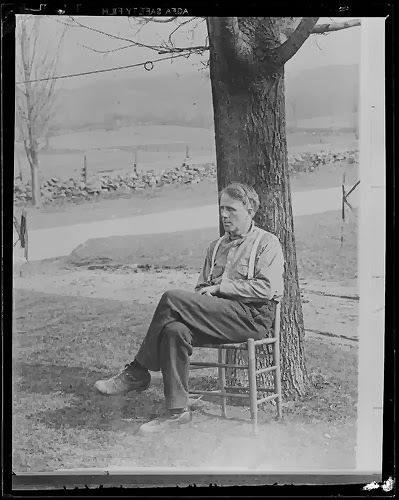
Jones, Leslie. (1934 - 1956 (approximate).  Robert Frost [Photograph]. Retrieved from Web.
Waltercroft1, “Funny Classic informative Plagiarism video". June 2010. Retrieved from Web.
 

Thursday, February 6, 2014

Journal Post #4: Designing Lessons and Developing Curriculum with Technology


Focus Question: How can teachers use technology to make decisions about meeting educational standards in their lesson plans?

Teachers have to make a lot of decisions when it comes to hat hey teach their students.  There are national and local standards that are used in determining what areas need to be taught and this can be obtained online on the websites for each.  Being able to look up national standards for example would be a great help in deciding how far you want to go with a lesson and the sites for these standards even offer example lesson plans.  This would help tremendously and make it a LOT faster than trying to read them from books or periodicals.  There are also sites for lesson planning available that even give you tips on how to teach the lessons using various forms of technology such as Keyote.

Tech Tool 4.3

The websites and apps described in Tech Tools 4.3 all seem to be designed to make a teachers life so much easier and make him/her more efficient.  Android for Academics has five different apps that can help such as Grade Book for Professors.  You can have a pin-protected one-stop place to put in and update your student’s grades and have the correct one at any given moment.  I like a lot of these sites and apps, but there seems to be one for this and one for that.  Being able to have a gradebook and attendance records and rubric help all in one spot would be ideal for me.

Summary & Connection

Chapter 4 goes over lesson planning and all the help that is available for teachers online with many programs and apps to develop what they needs for national, state and local standards.  It amazes me how far we have come.  Years ago none of this was available and teachers had to do a lot of busy work to get the information they needed.  Now it is at their fingertips in a flash!

The part of this Chapter I found most interesting was learning about assessments of students and how testing regularly can show a teacher what needs to be worked on and what doesn’t throughout the year.  I see my son getting reports from assessment tests and can see his progress from beginning to end.  There are different ways teachers and schools do this, but the bottom line is that they are a very important and useful tool for both teachers and students.


Resources:

Textbook - Maloy, Robert, Verock-O’Loughlin,Ruth-Ellen, Edwards, Sharon A., and Woolf, Beverly Park (2013). Transforming Learning with New Technologies. 2nd Edition. Boston, MA: Pearson Education, Inc.

Academy Geeks Inc. (2010). Android for Academics. [Picture]. Retrieved from http://androidforacademics.com/.

Academy Geeks Inc. (2010). Android for Academics. [Video]. Retrieved from http://androidforacademics.com/2011/01/attendance-app-video-demo/.


Friday, January 31, 2014

Journal Post #3, Chapter 3: Transforming Learning with Unique, Powerful Technology


What are the NETS-S and the 21st Century Student Outcomes?

NETS-S are the standards for student learning with technology developed by the International Society for Technology in Education. It is used to help know how students should use technology and how it should be used in teaching to further the learning process and use it to explore in even more detail the things they are taught. Due to the increasing amount of technology being used every day, it is essential that students learn how to use it to locate and process information they learn in the classroom and analyze it. If these standards are used properly, the students will enter the work force ready and able to use the technology tools available to succeed.
 

21 Century Student Outcomes of Learning are standard for student learning with technology developed by the Partnership for 21st Century Skills. This works in correlation with the NETS-S and NETS-T to help students achieve higher with critical thinking, problem solving, digital literacies and other important technology based thinking and analysis.


Tech Tools 3.5:  Web Resources and Apps for Digital Citizenship

This section of Chapter 3 discusses websites and Apps that can be good resources for all types of information, but mainly what is true and what isn’t and how to act while online an on social networking sites. 

I plan to look at these Apps and try some with my kids (as they vary in age).  However, I would like to touch on the www.factcheck.org site.  It does claim to be factual and unbiased, but there have been a few cases where I have doubted this, and the Annenberg Public Policy Center has a background that wouldn’t necessarily make them unbiased, which is a whole other issue.  Some have claimed that the site definitely leans more to the side of Democrats than anything else.  According to an article in Columbia Journalism Review by Greg Marx (Jan 2012) factcheck.org has made some statements that aren’t exactly true.  Marx writes in particular about one of their year-end lists and comments regarding claims that House Republicans had voted to “end Medicare”  in 2011.  Marx writes that some of these statements were “..was more plausibly unfair and, in some contexts, potentially deceptive.”  That doesn’t sound very “unbiased” to me.  There are other issues, but this is a small example.  What this mean is that even if a “reliable” site or source says something is true, the next logical step is to research it even further.  Student and teachers alike need to have more than one source for a fact to make it more reliable.


Summary Chapter 3: Transforming Learning with Unique, Powerful Technology

Chapter 3 discusses several items including all the ways that technology can be used to teach any grade in more student-engaged ways and how important it is in today’s society to understand why and most importantly, HOW. This chapter also discusses the responsibilities of teacher sto show their students how to use technology in effective and responsible ways. Teachers are expected to not only teach their students how to use the technology, but also how to weed out irrelevant or false information and not to use it to harm others. After some of the things I have seen on FaceBook and the like, I know a lot of adults that need to learn this important lesson.
In my classroom, I plan to show my students about digital responsibility by using age appropriate stories and situations on how people can get hurt or get information that is totally inaccurate from technology, and I plan to teach them about how they would feel if someone claimed their work as their own so they didn’t get credit for it themselves. I also plan on teaching by example. I think some teachers forget that they are often looked up to and are some kids only symbol of what is proper behavior in society. Some children do not have parents to reflect on either. As teachers, they have a responsibility to students to not be perfect, but to show as much of an up-standing citizen” image as possible. Just as parents, teachers will lead children by example.


Resources:

Textbook - Maloy, Robert, Verock-O’Loughlin,Ruth-Ellen, Edwards, Sharon A., and Woolf, Beverly Park (2013). Transforming Learning with New Technologies. 2nd Edition. Boston, MA: Pearson Education, Inc.
Marx, Greg. “What the Fact-Checkers Get Wrong.” Columbia Journalism Review, Web.  Jan. 2012
Common Sense Media, “Facebook, YouTube, Texting: Rules of the Road for Kids." March 2010.